
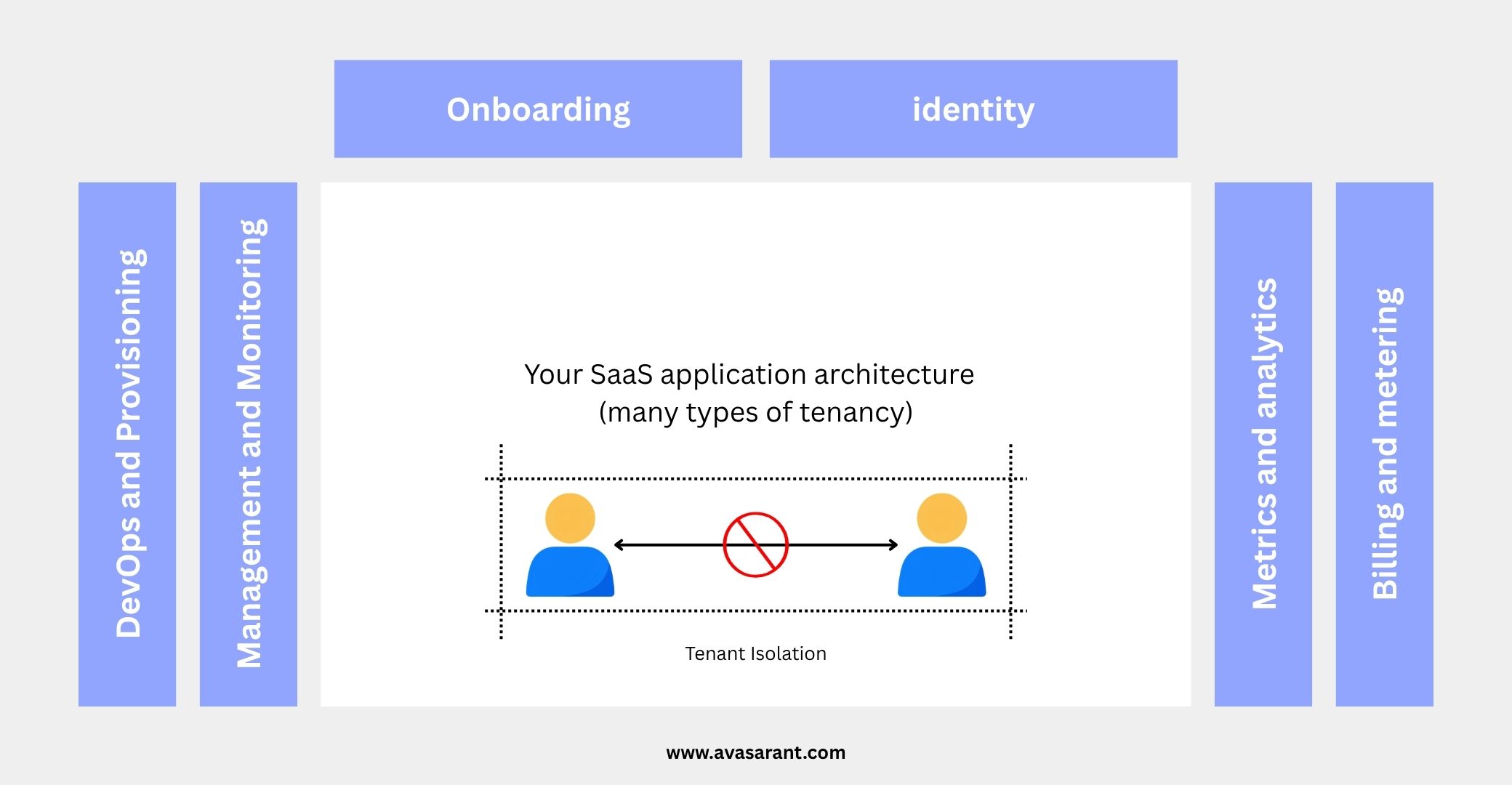
Part A: How to Design Tenant Isolation in a Multi-Tenant SaaS on AWS
In the first part of this guide, we looked at how tenant isolation works in a multi-tenant SaaS application, why tenant identity must be validated on the server, and how to choose between pooled, silo, and bridge architectures. But there is a gap between designing a tenant-aware application and making sure that tenant boundaries hold when something goes wrong.
Imagine that you have built a logistics SaaS product. NorthStar Logistics and BlueRoute Transport use the same application. Your API correctly identifies their users, and every database record has a tenant_id. Then a developer introduces a new reporting endpoint without adding the tenant condition to a SQL query. Another developer creates an S3 download function that checks whether a file exists but forgets to verify who owns it. The application still works. The problem is that one customer might now access another customer’s data.
Now why we are here because we will look at practical ways to prevent these mistakes from becoming security incidents. We will use PostgreSQL Row-Level Security, IAM policies for Amazon S3 and DynamoDB, and a background processing example using Amazon SQS.
The examples use a shared-resource architecture, where multiple tenants use the same application and storage infrastructure.
1. Why application-level checks are not enough
A common implementation starts with a simple condition in the application:
SELECT *
FROM orders
WHERE tenant_id = $1;
This is necessary. But it depends on every developer remembering to apply the same restriction to every relevant query.
Consider the following query:
SELECT *
FROM orders
WHERE order_id = $1;
The application may have correctly authenticated the user. The order ID may also be valid. However, neither fact establishes that the order belongs to that user’s tenant. We have two options –
- to create a shared data access library that always applies tenant filtering. This is useful because it makes the secure implementation easier to reuse.
- to enforce additional restrictions at the storage layer.
These approaches work well together. The application decides which tenant a user is authorized to access, while the storage layer restricts which data that application request can reach. No single control solves every isolation problem. A database policy cannot protect an S3 object, and an S3 policy cannot enforce authorization inside a PostgreSQL query. We need to establish the boundary at each relevant access point.
2. Enforce database isolation with PostgreSQL Row-Level Security
PostgreSQL includes a feature called Row-Level Security (RLS). It allows database policies to control which rows a database role can read, insert, update, or delete. Instead of depending exclusively on the SQL written by individual developers, we can define a rule that PostgreSQL applies when queries access a protected table.
Start with a tenant-aware table
Suppose our application stores orders in a shared table.
CREATE TABLE orders (
    order_id UUID PRIMARY KEY,
    tenant_id UUID NOT NULL,
    customer_name TEXT NOT NULL,
    amount NUMERIC(12, 2) NOT NULL,
    created_at TIMESTAMPTZ NOT NULL DEFAULT NOW()
);
Every order has a tenant_id, which identifies the organization that owns it.
Now enable row-level security:
ALTER TABLE orders
ENABLE ROW LEVEL SECURITY;
Next, define the isolation policy:
CREATE POLICY orders_tenant_isolation
ON orders
USING (
    tenant_id =
    current_setting('app.current_tenant', true)::UUID
)
WITH CHECK (
    tenant_id =
    current_setting('app.current_tenant', true)::UUID
);
There are two important parts here.
USINGdetermines which existing rows are available to a query. It is relevant when reading, updating, or deleting records.WITH CHECKdetermines whether a newly inserted or updated row is allowed to remain in the table. It prevents a tenant-scoped request from creating a record for another tenant or changing a record’s ownership to another tenant.
The policy uses a PostgreSQL setting called app.current_tenant. Our application will set this value after it has authenticated the user and validated the active tenant.
Set the tenant context for each transaction
Consider a request from NorthStar Logistics. The backend has already established that the user belongs to NorthStar and is permitted to access its orders. It starts a database transaction and sets the tenant context:
BEGIN;

SELECT set_config(
    'app.current_tenant',
    '11111111-1111-4111-8111-111111111111',
    true
);

SELECT order_id, customer_name, amount
FROM orders
ORDER BY created_at DESC;

COMMIT;
The UUID is illustrative. In a real application, the server must supply the validated tenant ID as a bound parameter rather than accepting an arbitrary value from the browser. The third argument to set_config is true, which makes the setting local to the current transaction.
When the transaction ends, the setting does not remain active for the next request using that database connection.
This matters because connection pools reuse database connections. Without careful context management, a connection previously used for NorthStar could accidentally retain state when it is reused for BlueRoute.
Every tenant-scoped transaction must establish its own context, and the context-setting statement and subsequent queries must execute on the same connection.
What happens if a developer forgets the WHERE clause?
With the policy active, a query that omits an explicit tenant filter is still restricted by the database policy.
For example:
SELECT *
FROM orders;
The database only exposes rows permitted by the active tenant context. If the context has not been set, the comparison evaluates to NULL, so the policy does not authorize those rows.
This is the main benefit: ordinary queries no longer depend entirely on developers remembering to add the same tenant condition. However, there is an important configuration detail.
The application should connect using a dedicated runtime database role that does not own the tables and does not have superuser or BYPASSRLS privileges. Table owners normally bypass row-level security unless it is forced, and privileged roles can bypass it regardless.
For additional protection against accidental access by the table owner, you can use:
ALTER TABLE orders
FORCE ROW LEVEL SECURITY;
Migrations should run through a separate, tightly controlled database role.
RLS also needs to be enabled on every table that contains tenant-owned data. Protecting orders does not automatically protect invoices, customers, or reports.
For a deeper treatment of PostgreSQL isolation, see the AWS Prescriptive Guidance on row-level security.
3. Protect tenant files in Amazon S3
Database isolation is only one part of the problem. SaaS applications often store invoices, contracts, profile images, delivery photographs, and exported reports in Amazon S3.
A simple naming convention helps keep files organized:
tenants/TENANT-A/invoices/invoice-101.pdf
tenants/TENANT-A/documents/pod-101.jpg

tenants/TENANT-B/invoices/invoice-201.pdf
tenants/TENANT-B/documents/pod-201.jpg
But an S3 object key is just a name. Including a tenant ID in the key does not automatically prevent another tenant from accessing that object.
We also need appropriate access controls.
Use IAM policies to scope object access
AWS IAM policy variables can use trusted principal attributes when evaluating permissions. For example, a role session can carry a tenantId principal tag, provided the tag is established through a trusted identity or role-assumption process.
The following policy illustrates how such a principal could be granted access to objects under its own tenant prefix.
{
  "Version": "2012-10-17",
  "Statement": [
    {
      "Sid": "TenantObjectAccess",
      "Effect": "Allow",
      "Action": [
        "s3:GetObject",
        "s3:PutObject"
      ],
      "Resource": "arn:aws:s3:::saas-private-files/tenants/${aws:PrincipalTag/tenantId}/*"
    },
    {
      "Sid": "TenantPrefixListing",
      "Effect": "Allow",
      "Action": "s3:ListBucket",
      "Resource": "arn:aws:s3:::saas-private-files",
      "Condition": {
        "StringLike": {
          "s3:prefix": [
            "tenants/${aws:PrincipalTag/tenantId}",
            "tenants/${aws:PrincipalTag/tenantId}/*"
          ]
        }
      }
    }
  ]
}
Replace the example bucket with your own resource and grant only the actions required by the application. If the principal has the trusted tag tenantId=TENANT-A, the object permissions match the tenants/TENANT-A/ prefix.
The s3:prefix condition controls which object-key prefixes can be listed. It does not replace the resource restriction on actual object reads and writes.
There is one critical limitation to understand: this policy is an illustrative permission grant, not a complete isolation solution by itself. Another applicable policy that grants broader access could undermine the intended boundary. Review all effective permissions, bucket policies, access points, and any other mechanisms that apply.
Also, a shared Lambda execution role does not automatically acquire a different principal tag just because an SQS message contains another tenant ID. The tenant attribute must be established through a trusted AWS identity mechanism. It must never be derived from an unverified client-supplied value.
Official reference: Amazon S3 policy condition keys.
What about presigned URLs?
Many SaaS applications use presigned URLs so users can upload or download files without routing the entire file transfer through the backend.
This is a reasonable approach, but generating a URL must be treated as an authorization-sensitive operation.
Before generating a download URL, the backend should verify that:
- The requesting user is authorized for the active tenant.
- The requested file belongs to that tenant.
- The user is allowed to perform the requested operation.
The URL should have a suitably short expiration period and grant access only to the specific object and operation required.
A presigned URL is not a replacement for authorization. It is a way to delegate temporary access to an S3 object.
4. Apply tenant isolation to Amazon DynamoDB
DynamoDB has a different access model from PostgreSQL.
It does not provide the same row-level security policies that PostgreSQL does. Instead, you need to design your table keys and IAM permissions so that the intended tenant boundary can be enforced.
One useful IAM condition key is dynamodb:LeadingKeys. It can restrict requests to specific partition-key values.
Design the partition key around tenant ownership
Suppose an Orders table uses this key structure:
Partition key (tenantId) | Sort key (orderId) | Amount |
|---|---|---|
| TENANT-A | ORD-101 | 12000 |
| TENANT-A | ORD-102 | 6200 |
| TENANT-B | ORD-201 | 8500 |
In this simplified example, the actual partition key is the tenant ID. The sort key identifies an order within that tenant.
An IAM permission statement can limit access to a tenant’s partition-key values:
{
  "Version": "2012-10-17",
  "Statement": [
    {
      "Sid": "TenantScopedOrderAccess",
      "Effect": "Allow",
      "Action": [
        "dynamodb:GetItem",
        "dynamodb:PutItem",
        "dynamodb:UpdateItem",
        "dynamodb:DeleteItem",
        "dynamodb:Query"
      ],
      "Resource": "arn:aws:dynamodb:ap-south-1:123456789012:table/Orders",
      "Condition": {
        "ForAllValues:StringEquals": {
          "dynamodb:LeadingKeys": [
            "${aws:PrincipalTag/tenantId}"
          ]
        },
        "Null": {
          "dynamodb:LeadingKeys": "false"
        }
      }
    }
  ]
}
The account ID, table name, region, and tenant attribute are examples. The policy assumes that the trusted principal has a tenantId tag and that the DynamoDB partition key matches that tag exactly.
The ForAllValues:StringEquals condition checks that all applicable leading keys match the authorized tenant. The Null condition ensures that the required key context is present.
This policy grants selected access to the table; it does not grant all DynamoDB permissions or automatically cover every index and transaction access pattern.
If your application uses a global secondary index, review its partition-key design and permissions independently. If you use a key such as TENANT#TENANT-A rather than the plain tenant ID, the policy must be adapted to the actual key model.
There is also an important architectural caveat. IAM cannot infer the tenant from an arbitrary field in your application’s request body. A shared application role must not be assumed to become tenant-scoped simply because the code queries the appropriate partition.
Where dynamic IAM enforcement is required, the application needs a trusted way to establish tenant-scoped credentials or principal attributes. Otherwise, the application must enforce tenant ownership through its data-access layer and key design, with IAM restricting the overall set of operations available to the runtime role.
See the AWS guide to pooled storage isolation strategies for additional details.
5. Do not lose tenant context in background jobs
Now consider a different situation.
A customer clicks Generate Monthly Report. The API validates the user and creates a report-generation job. Instead of processing the report during the HTTP request, the application sends a message to Amazon SQS for a worker to process later.
The worker might run on AWS Lambda or another compute service.
By the time the worker starts, the original HTTP request has ended. There is no browser session available to tell the worker which tenant it should serve.
If the application does not carry tenant ownership into the job, the worker can become another point where data crosses tenant boundaries.
Put tenant ownership into the job design
A job message might look like this:
{
  "jobId": "JOB-9821",
  "tenantId": "TENANT-A",
  "jobType": "GENERATE_MONTHLY_REPORT",
  "requestedBy": "USER-107"
}
The tenant ID is useful for routing, observability, and validation. But the worker should not blindly trust a tenant ID merely because it appears in a message.
A safer design works as follows:
- The API authenticates the user and validates membership in the selected tenant.
- The backend creates a job record containing the validated tenant ID and the requested operation.
- The backend publishes the job to SQS using an authorized publisher role.
- The worker retrieves the job record and confirms that the message refers to a valid job with the expected tenant ownership.
- The worker establishes the tenant context before accessing tenant-owned data.
- The worker writes the output to an authorized tenant-specific destination.
For example, the worker could store a generated report under:
tenants/TENANT-A/reports/monthly-report-2026-09.pdfThe filename and path make ownership understandable, but the worker must still enforce authorization through the applicable database and S3 controls.
Use the same database protections in workers
If the report generator uses PostgreSQL RLS, the worker should set the transaction’s tenant context just as an API request does.
This is important because background workers often contain more privileged code than ordinary endpoints. They may read large groups of records, generate exports, and write files.
Do not create a special worker path that bypasses the protections used by the application.
One practical design is to keep job-control metadata in a narrowly scoped operational table or service. After validating the job and its tenant ownership, the worker can open a tenant-scoped transaction for the actual business data. This avoids giving a general job-dispatch component unnecessary access to every tenant’s records.
Also consider retries. SQS messages may be processed more than once, so report generation and other side effects should be idempotent where practical. An idempotency key should identify the operation within its tenant context, rather than inadvertently treating two tenants’ jobs as the same operation.
The same rules apply to scheduled jobs, event consumers, data exports, email notifications, and analytics pipelines.
For a SaaS application, tenant isolation must follow the work, not just the original request.
6. Test the isolation boundary deliberately
Security controls should be verified through negative tests, not just successful requests.
Create two test tenants, NorthStar and BlueRoute, with their own users, orders, and S3 documents.
Then test the following scenarios:
Database tests: A NorthStar user can read NorthStar orders but cannot read or update BlueRoute orders, even when the order ID is known. Queries without a valid tenant context must not reveal tenant-owned rows.
Connection-pooling tests: Execute one transaction for NorthStar and then reuse the pooled connection for BlueRoute. Confirm that the previous transaction’s tenant context does not carry over.
S3 tests: A principal scoped to NorthStar cannot read or overwrite a BlueRoute object. Test both direct object access and object listing, and verify that the application never issues a download URL before checking ownership.
DynamoDB tests: Attempt to query another tenant’s partition key and confirm that the IAM policy denies requests outside the permitted scope. Test any secondary indexes or additional operations used by the application.
Background-job tests: Submit a job with an incorrect or manipulated tenant identifier. The worker should reject inconsistent tenant ownership rather than processing records based solely on the message payload.
These tests should be automated wherever practical and run whenever the relevant authorization or data-access logic changes.
For especially sensitive operations, include them in deployment checks as well.
7. What I would implement in a real SaaS application
For an early-stage SaaS product using shared infrastructure, I would not begin by creating a dedicated database, S3 bucket, and AWS account for every customer unless the business or security requirements justified that level of isolation.
I would begin with a well-defined tenant identity and enforce that identity consistently across the application.
For PostgreSQL, I would use tenant-aware queries and consider RLS as a database-level safeguard. For S3, I would combine backend authorization with carefully scoped permissions and short-lived presigned URLs. For DynamoDB, I would align the table’s key structure with tenant ownership and restrict access to appropriate partition keys wherever the IAM model supports it.
For background processing, I would make tenant ownership part of the trusted job record, validate the job before processing, and reuse the same data-access controls as the API.
Finally, I would test whether one tenant can access another tenant’s data at every relevant boundary.
The goal is not to add the maximum possible number of security services. It is to make unauthorized cross-tenant access difficult, detectable, and preventable even when individual application components contain mistakes.
Conclusion
Tenant isolation is not complete just because every database row has a tenant_id.
It must also be enforced when queries run, files are uploaded and downloaded, DynamoDB items are accessed, and background jobs execute long after the original request has ended.
PostgreSQL RLS, AWS IAM conditions, tenant-aware data access, and automated security tests address different parts of that problem. Used together, they create multiple layers of protection without necessarily requiring a completely separate infrastructure stack for every customer.
A shared SaaS architecture can be both economical and secure, but only when customer ownership is explicit and every relevant component respects it.
The practical rule is simple: never let a tenant identifier become just a label. It must be part of the authorization boundary.
Further reading
- AWS Well-Architected SaaS Lens: Tenant isolation
- AWS Prescriptive Guidance: PostgreSQL Row-Level Security
- Amazon S3 policy condition keys
- AWS: Pooled storage isolation strategies
This article is Part B of the series on designing tenant isolation in multi-tenant SaaS applications on AWS. Read Part A: How to Design Tenant Isolation in a Multi-Tenant SaaS on AWS.